DOWNLOAD

Deep Void
Version beta-1.0.0 — Windows 10/11 - 64 bits
The download hasn't started yet ? Click here
INSTALLATION GUIDE
Windows Defender is blocking installation ?
Deep Void is a new application and is not yet digitally signed. Windows displays a warning as a precaution—this is normal and to be expected with any new software. Here's how to proceed safely.
Launch installer
Double-click the downloaded file. Windows Defender SmartScreen displays a blue screen with the message "Windows protected your PC".
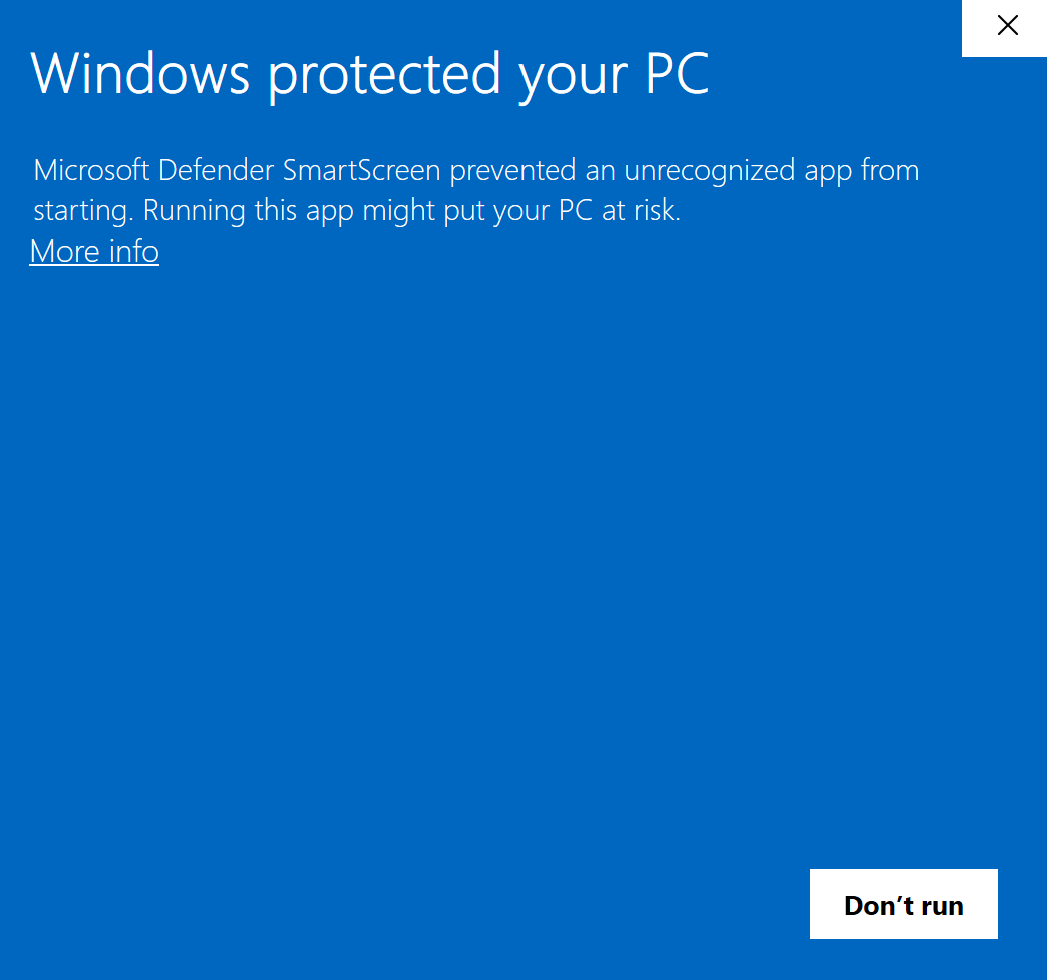
Screenshot: Defender blue screen
More info
Click on "More info" at the bottom left of the blue screen. An additional button will appear.
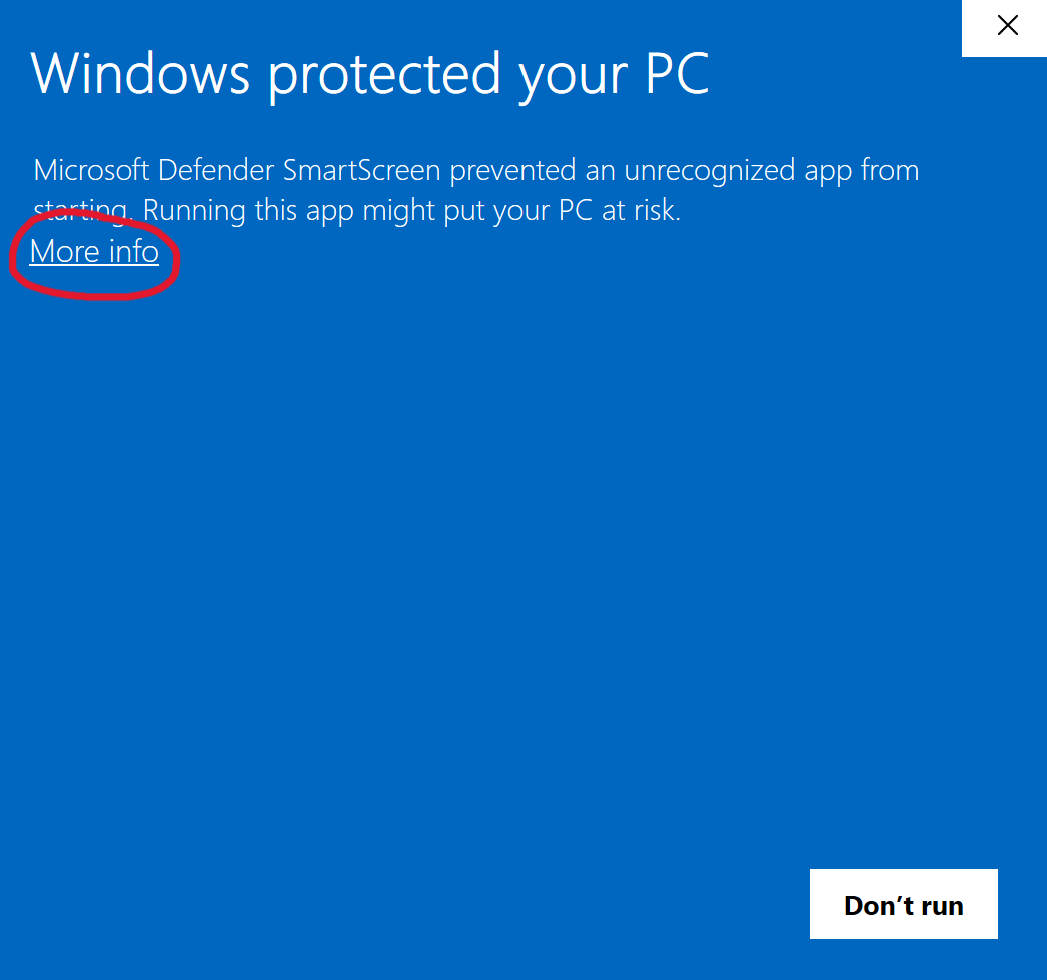
Screenwhot: "More info" button
Run anyway
Click on "Run anyway". The installation starts normally.
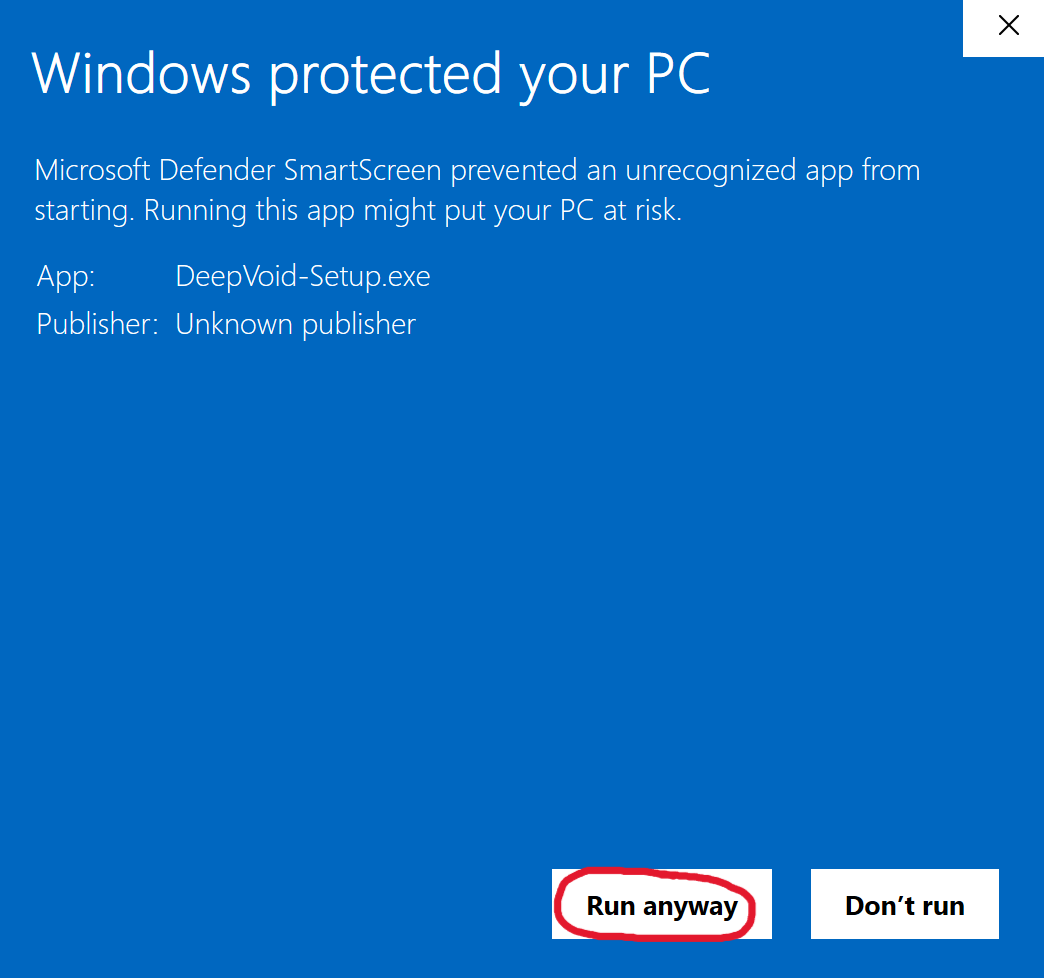
Screenshot: "Run anyway button"
Why this warning?
Digitally signing a Windows executable requires a paid certificate. As a standalone application currently under development, Deep Void is not yet certified. This warning will disappear as soon as the app reaches a sufficient number of downloads or is officially signed.